



Table of Contents
Home / Blog / Mobile Development
Top React Native Databases for Building Fast and Offline-Ready Apps

by

January 2, 2026

by
January 2, 2026
When creating a React Native app, it is easy to lose focus and see UI, features, and the way it all looks on the screen. However, behind all these smooth experiences there is one thing that most users do not even know about, the local database. It is the silent engine which makes your app seen as being fast, responsive and reliable even when there is no connection to the internet.
It does not matter whether you are saving user preferences, or caching storefront products, or just syncing data with a field team operating in remote localities, the performance, offline capabilities, and user satisfaction depends significantly on the selection of the appropriate React Native database. And as users today demand apps to be flawless at all locations, including low-network connectivity, your storage layer is now more essential than ever before.
This guide will take you through the best local databases that you can utilize in the React Native, their strongest applications and how to choose the best one to fit your project. At the end, you will have a better understanding of what type of database can serve the sort of experience your users should have.
How to Choose the Right Local Database for Your React Native App
Choosing the appropriate React Native local storage database can bring a tangible change in the level of speed, reliability and usability with which your app will perform. Rather than be confused with technical jargon, it is worthwhile to consider the decision in a user-experience perspective. What do people really want your app to do and how will your database be useful in that?
These are the main factors to be considered:
- Data Size & Complexity
Do you have small user preferences or thousands of records that you are storing? The size of your information determines an optimal database.
- Concurrency Needs
Unless several components of your application will be reading and writing data simultaneously, you will require a database that can be read by many components.
- Offline-First Reliability
Offline support is not a choice to users living in low-connectivity environments, but a necessity.
- Sync Requirements
Certain apps require a seamless interaction with a back-end or even with devices. Others don’t. Knowing this early prevents big refactors later.
- Ease of Integration
There are databases that are nearly compatible with React Native. Others need additional installation and maintenance.
- Encryption & Security
Encryption is not an optional feature, and you need to have it, in case your application deals with financial, legal, healthcare, or any other sensitive information.
Read also – Top React Native Development Companies to Watch in 2025
With these considerations in mind, you will be able to select a database that does not only fit your technical requirements, but also provides the type of experience your users will have each time they open your application.
Turn app potential into powerful performance.
Discover the ideal React Native database for speed, scalability, and seamless syncing. Build on a rock-solid foundation.
Top 10 Local Databases for React Native: In-Depth Insights and Use Cases
In the case of developing a React Native application, your decisions regarding the database can make or break the experience. It is the engine in the background that keeps your app running smoothly to make sure it takes care of all the things like offline access to keeping data in sync between devices. Choose the right one and your app is fast, reliable and smooth. Choose the wrong one and users experience delays, crashes or lack of data. Let’s dive into the top 10 databases and see how they really perform in real-world React Native apps.
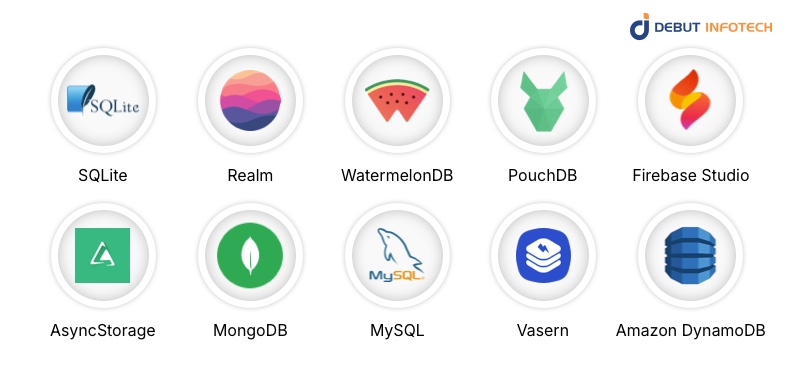
1. SQLite
SQLite will always come in handy when your application requires a structured and reliable storage platform. It is the best when dealing with high volume of data and complex relational information and its ACID compliance guarantees that your information remains consistent, even when under heavy usage. Enterprise applications used by many businesses, such as banking and finance applications, use SQLite to store the thousands of transactions when offline. Although schema migrations are time-consuming to plan, it is a reliable option when it comes to production applications due to its stability and widespread usage.
2. Realm
Realm is exceptional in terms of apps that require real-time performance and reactive, responsive interfaces. As opposed to the old databases, Realm synchronizes data immediately and your UI is maintained automatically. Realm brings the zero-copy reads, which are highly responsive, to Fitness trackers, social applications, and live dashboards. It comes at the cost of a bigger library size, but in the case of applications where performance and real-time data are important, it is justified.
3. WatermelonDB
WatermelonDB is a great option in case your application manages large volumes of offline data, which can be synchronized periodically. It was created with React Native in mind and allows lazy loading, which allows apps to remain fast even with tens of thousands of records. Retail inventory applications and field service applications frequently depend on WatermelonDB to guarantee that staff members have access to products or client information offline. It is more complex to set up than other simpler solutions, but its scalability and offline-first design is priceless.
4. PouchDB
PouchDB suits apps that require CouchDB like replication as well as offline first functionality. It is built to work in harmony with various devices thus it is ideal with collaborative or distributed applications. PouchDB is often used by point-of-sale systems to maintain sales and inventory records in real time, even when the internet is not reliable. Its advantage is that it is multi-device consistent but small apps might feel it is not lightweight enough.
5. Firebase Studio
For apps already using Firebase, local persistence through Firebase Studio simplifies offline caching. Data such as messages, notifications, or user activity can remain accessible even without connectivity. Messaging applications, for example, tend to use Firebase to update chat logs in real-time when users are reconnected to the internet. While tied to the Firebase ecosystem, the automatic sync and caching make it fabulously easy to use by a number of app developers.
6. AsyncStorage
AsyncStorage is a basic and in-built tool to store little fragments of data such as tokens, preferences or application settings. It is simple to implement, lightweight and ideal in situations where there are no complex queries or large datasets required. For instance, apps use AsyncStorage to save theme preferences, login sessions, or onboarding progress. Although it cannot support heavy data workloads, its simplicity provides it with the ability to store small data points in a quick and reliable way.
7. MongoDB
MongoDB, together with Realm Sync, is ideal in the context of document-based storage that is scalable and supports offline-first capabilities. It enables apps to exchange information across mobile and web platforms easily, which provides uniformity or reliability. This configuration is very common with task management applications and collaborative tools that synchronize projects, tasks and notes in real time. Its flexibility would have a somewhat more complicated setup, but the reward is to be able to support multiple platforms smoothly.
This configuration is very common with task management applications and collaborative tools that synchronize projects, tasks and notes in real time.
8. MySQL
Although not natively mobile, MySQL can be used locally in React Native apps through embedded servers or connectors. It’s best for apps that mirror existing MySQL backend structures, ensuring enterprise data consistency. Legacy enterprise apps often rely on MySQL to maintain relational integrity across mobile and web clients. The main challenge is implementing mobile-friendly wrappers, but for businesses tied to MySQL, it provides a familiar and dependable solution.
9. Vasern
Vasern is a fast, light local storage that is tailored to applications that require instant data access. It is easy to work with and is good at CRUD operations, and therefore can be used in productivity applications or tools that need rapid updates. Although the community is smaller compared to some of the alternatives, its functionality and simplicity make it an interesting option to developers interested in having an efficient local database without unwarranted overhead.
10. Amazon DynamoDB
The local version of Amazon DynamoDB suits apps that can connect to AWS backends. It is a replica of your cloud database offline which allows apps to still operate even when the internet is not reliable. DynamoDB is frequently used in logistics, field service, and delivery apps to store the driver route or customer information locally to prevent a drop in productivity because of connectivity. Although configuration demands proficiency with AWS, the offline-first interface and smooth cloud sync is incredibly robust with enterprise-level apps.
Read more – Top React Native Development Tools In 2025
Top 10 Local Databases for React Native You Can Rely On
To simplify the decision making process, the following is a simple comparison of the top 10 local databases for React Native. You can consider it as a cheat sheet that can help you find out which one fits your application without losing time in documentation.
| Database | Best For | Speed & Performance | Offline Support | Sync Capabilities | Security / Encryption | Ease of Use |
| SQLite | Large, structured datasets | High | Excellent | Limited | Optional | Medium |
| Realm | High-performance, live apps | Very High | Excellent | Built-in | Built-in | Medium |
| WatermelonDB | Apps with large offline data | High | Excellent | Built-in | Optional | Medium |
| PouchDB | Offline-first + multi-device | Medium | Excellent | CouchDB sync | Optional | Medium |
| Firebase Studio | Cloud-connected apps | Medium | Good | Firebase sync | Built-in | Easy |
| AsyncStorage | Small key-value storage | Low | Limited | None | None | Very Easy |
| MongoDB | Document-based, sync-ready | Medium | Good | Realm sync | Optional | Medium |
| MySQL | Apps with relational backend | Medium | Limited | Custom | Optional | Hard |
| Vasern | Lightweight & fast | Very High | Good | None | Optional | Easy |
| Amazon DynamoDB | AWS-integrated apps | High | Good | Built-in | Optional | Medium |
Every React Native app has different priorities. If your app relies heavily on offline functionality, WatermelonDB or Realm might be your best bet. If simplicity is key, AsyncStorage or Vasern could be all you need. This table isn’t just a reference, it’s a shortcut to making a confident decision for your app and your users.
Which Database Works Best for Your App Type?
1. E-commerce Apps
E-commerce applications require quick navigation as well as good offline services, particularly to people who are browsing through vast product selections. In this instance, WatermelonDB and PouchDB will work well since they are created to operate on the basis of offline-first and can accommodate thousands of items without hampering the performance of the application. Most online retail outlets utilize these databases to ensure that customers can still monitor products and manage their cart despite their internet going down.
2. Fintech Apps
Financial applications require rigorous data designs and querying with high performance to ensure that the information remains correct and accessible in real-time. SQLite, Realm and DynamoDB are best suited in this environment. As an example, a mobile banking application can be based on SQLite to display the last transactions as quickly as possible on the initial launch, and DynamoDB provides reliable and scalable syncing once the device is reconnected. These databases provide the stability and the speed required to ensure user trust.
3. Healthcare Apps
Healthcare applications deal with incredibly sensitive medical data, so data security is equally vital to performance. Encrypted Realm is suitable in this case, as it provides high levels of encryptions without losing the performance and responsiveness of the app. Consider a scenario where the physician is on a telehealth application in a remote location with weak connectivity. Under Realm, patient information can be accessed securely outside the network without breaking the compliance rules.
4. Social Apps
Social networks, chat applications, and collaboration tools are dependent on real-time updates. Firebase and MongoDB Realm are the best options since they are designed to be immediately synchronized on multiple devices. Whenever someone posts a message or changes their profile, these databases make the change visible everywhere instantaneously, giving users the sense of a unified and connected experience that they desire when using social sites in the present day.
Best Practices for Implementing Local Databases in React Native
Even with the most optimal React Native databases, the performance of your app will be determined by the way you configure everything. The following are some of the simple practices that are developer friendly, but make a big difference:
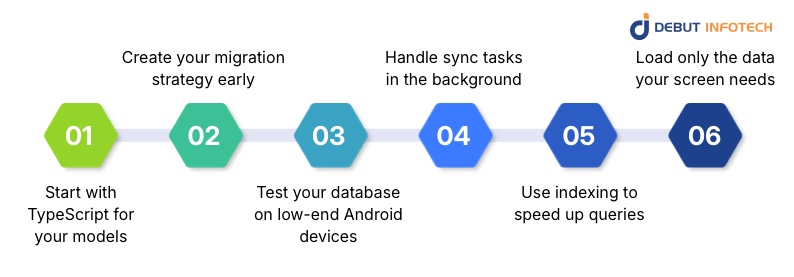
1. Start with TypeScript for your models.
Start with TypeScript for your models.
Typed data structures help you avoid surprises and keep your logic consistent as your app grows.
2. Create your migration strategy early.
Databases evolve just like apps do. Planning your migrations upfront saves you from broken updates later on, a lesson teams across many mobile app development frameworks have learned the hard way.
3. Test your database on low-end Android devices.
These devices expose performance issues that never surface on premium phones, helping you build for real-world conditions.
4. Handle sync tasks in the background.
Background workers prevent UI lag and keep data fresh without interrupting the user experience.
5. Use indexing to speed up queries.
A few well-placed indexes can turn slow screens into snappy ones, especially with large tables or heavy filtering.
6. Load only the data your screen needs.
Selective hydration keeps memory utilization down to the minimum and makes your app remain smooth, even to large datasets.
With these practices considered in construction, you will have a smoother experience, less crashing, and a more reliable performance with all React Native databases of choice.
Build your React Native app on the perfect database.
Our experts match you with the right solution for growth and reliability. Let’s architect your data layer.
Endnote
There are numerous React Native databases and backend tools to select, so it is understandable to ask which one is exactly appropriate to your application. The reality is that there cannot be a one-size-fits-all option, the optimal database will be based on the structure of your project, the performance requirements as well as the expectation of expansion of the app.
If you’re unsure where to start, Debut Infotech, a leading React Native development company, can help you make the right call. Our team has worked with all the major databases and can advise you on a setup which suits the purposes of your app, and not just the latest trend.
Need clarity on which database is the best fit? Our consultants will be willing to guide you in the right direction.
Frequently Asked Questions (FAQs)
Q. Is React Native still good in 2026?
Yes – React Native will remain a good option in 2026. It provides rapid performance, reduced development expenses, and easy means of developing apps on iOS and Android. Its relevance and innovative nature is ensured by the new architecture, extensive ecosystem, and the backing of companies such as Meta and Shopify. Although certain high-performance apps might require additional optimization, React Native can be considered as one of the best tools to create modern and scalable mobile apps.
Q. Which Database Is Best for React Native?
The most suitable database to use in a React Native app is dependent on the needs of a project. Various applications have varied requirements, including offline support, data storage, or syncs.
A number of popular and effective options are available. Both databases have their advantages, and they will be more appropriate with some applications.
Q. Can You Use SQL with React Native?
Yes, you can use SQL in React Native apps with SQLite.
SQLite is a relational database that is implemented in C. It is integrated as part of applications. You do operations with the SQL query language, and its syntax resembles that of postgreSQL
First, in order to use SQLite in a project using React Native, you have to include a SQLite library in the project as a first-time requirement. After installation it is possible to create, read, update, and delete data with the help of the standard SQL commands.
Our Latest Insights



Leave a Comment